There are many ways to create dependency between Airflow DAGs. My preferred, to date, is the dataset feature. I’m not gonna lie — it is because it’s so simple!
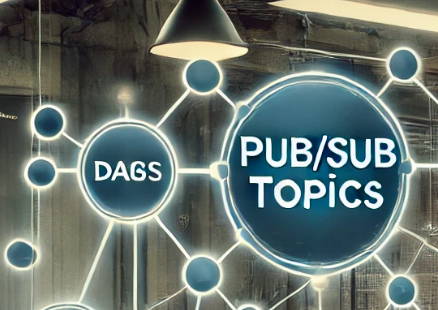
It resembles the publish-subscribe topics from the software engineering realm. Whether it is applicable for you or not, largely depends on the architectural choices for writing your DAGs. If you prefer to follow the dependency how “it should be” or you simply require more customisation — here are the docs to guide you.
Prerequisites:
- Airflow deployment with dependent DAGs.
- Some basic python scripting (who would guess that one, huh?).
Overview of the steps
We have two (or more) DAGs, so let me call the first one a publisher (DAG which when finished triggers other(s) DAG(s)) and the rest subscriber(s) (DAGs which get triggered by the publisher).
- [Publisher & Subscriber] Import Dataset from airflow.datasets.
- [Publisher] Import DummyOperator.
- [Publisher] Write a simple task which outlets a Dataset.
- [Subscriber] Set schedule parameter to read the Dataset from the step above.
What is a dataset?
Airflow designed this feature to do exactly what you would expect by its name: update/schedule (based on) a set of data (Airflow documentation). While you most certainly can use it strictly in this manner, I like to leverage this feature to create my own “pub-sub” topics within my Airflow deployment.
The easiest way to think about a dataset is that this is a message or a flag which is published by the topic (your DAG). It is published internally within Airflow, so there is no extra specifications you have to do. Once published, all of the subscribers will get triggered and the message / flag will be consumed.
What about reliability, you may ask; multiple reading or some consumers missing the message… well, since it is a DAG cluster and not a real-time IoT streaming, I honestly do not care that much, not to over-engineer things. If your deployment contains some crucial DAGs on which people’s lives depend — please do not continue and check if the “normal” cross-DAG dependency from Airflow (like here) works for you 😉.
Which operator do I use?
The DummyOperator! That’s it, nothing too fancy nothing to complicated, no strict requirements on parameters 🙅 You can add your dataset publishing task wherever you want within your DAG — bearing in mind that once it is executed all dependencies will get triggered. Here is how:
    notify_<someone>_<some_job>_finished = DummyOperator(
        task_id="notify_<someone>_<some_job>_finished",
        outlets=[Dataset("<some_job>_finished")],
    )
How do I subscribe to the dataset?
Let me use some code directly from Airflow’s documentation page, as I know we all declare DAGs in a different way. Here is an example, with one modification — which is all that you have to do to subscribe to a dataset:
 import datetime
############### additional import required here
 from airflow.datasets import Dataset
############### end of additional import

 from airflow import DAG
 from airflow.operators.empty import EmptyOperator

 with DAG(
     dag_id="my_dag_name",
     start_date=datetime.datetime(2021, 1, 1),
############### modifying here
     schedule=[Dataset("<some_job>_finished")],
############### end of modification
 ):
     EmptyOperator(task_id="task")
As you can see, you only have to change the schedule of your DAG (and of course import the Dataset object from airflow).
Contact Me
Thanks for reading. Are you liking the information received but lacking time or skillset to get your analytics engineering sorted? Check out my contact details.
“Pub-Sub” architecture for your Airflow DAGs with Datasets was originally published in Lortech Solutions Blog on Medium, where people are continuing the conversation by highlighting and responding to this story.